Click the Start button.
Click Control Panel.
Click Add or
Remove Programs
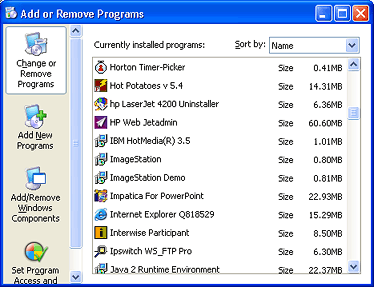
Add or Remove Programs window in Windows XP Professional
Select Horton Timer-Picker in the list of programs.
Click the Change/Remove
button.
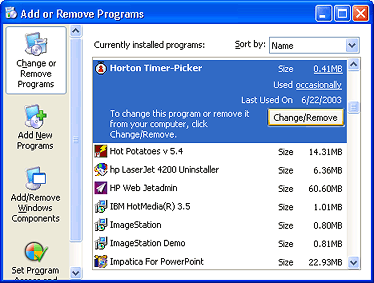
Add or Remove Programs window in Windows XP Professional