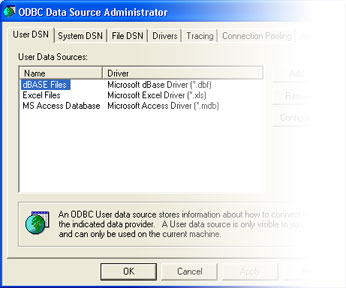
 Here are the steps you need to perform in order to create a System Data
Source Name, or DSN.
Here are the steps you need to perform in order to create a System Data
Source Name, or DSN.
- Open
ODBC Data Source Administrator.
- Click System DSN tab.
- Click Add.
- Select the appropriate driver for your database type.
- Click Finish.
- Type a name for this data source in the Data Source Name field. This
is the name your Web application will use to find the database.
- Type a short description in the Description field.
- Click Select.
- Browse for the database.
- Highlight the database file name.
- Click OK to select the database and close the Select
Database window.
- Click OK to close the database setup window.
- Click OK to close the ODBC Data Source Administrator.
